

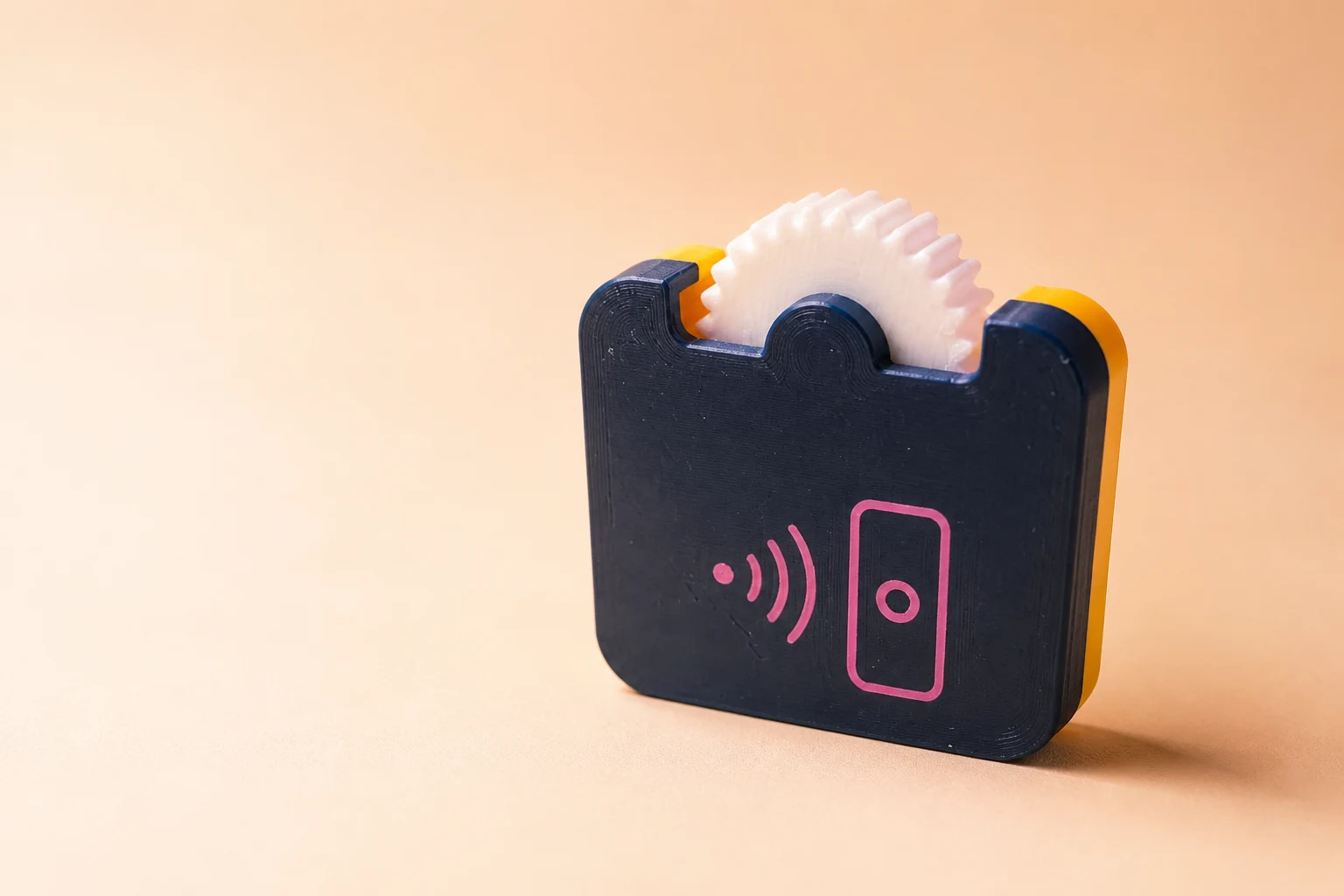
The idea
A physical shortcut you can keep in your pocket.
The fidget combines a tactile thumb wheel with a small NFC tag inside the body. The tag does not need a battery. A compatible phone supplies the tiny amount of power needed to read it when tapped nearby.
You choose what the tag does. The first guide will focus on writing a normal web address because it is understandable, useful, and easy to change later.
What you will need
Prototype parts
- A 3D printer and filament
The tested build uses a 0.4 mm nozzle. Print the shells in PLA and the replaceable click spring in PETG. The supplied orientations are designed to print without supports; always confirm the slicer preview.
- A writable NFC tag
The current pocket is designed around a nominal 25 × 0.8 mm NTAG215 adhesive disc. Measure your tag before sealing the shell.
- A compatible phone
Most recent phones can read NFC tags; writing support and menu names vary by device.
- A small amount of assembly time
The design goal is simple assembly without specialized tools.
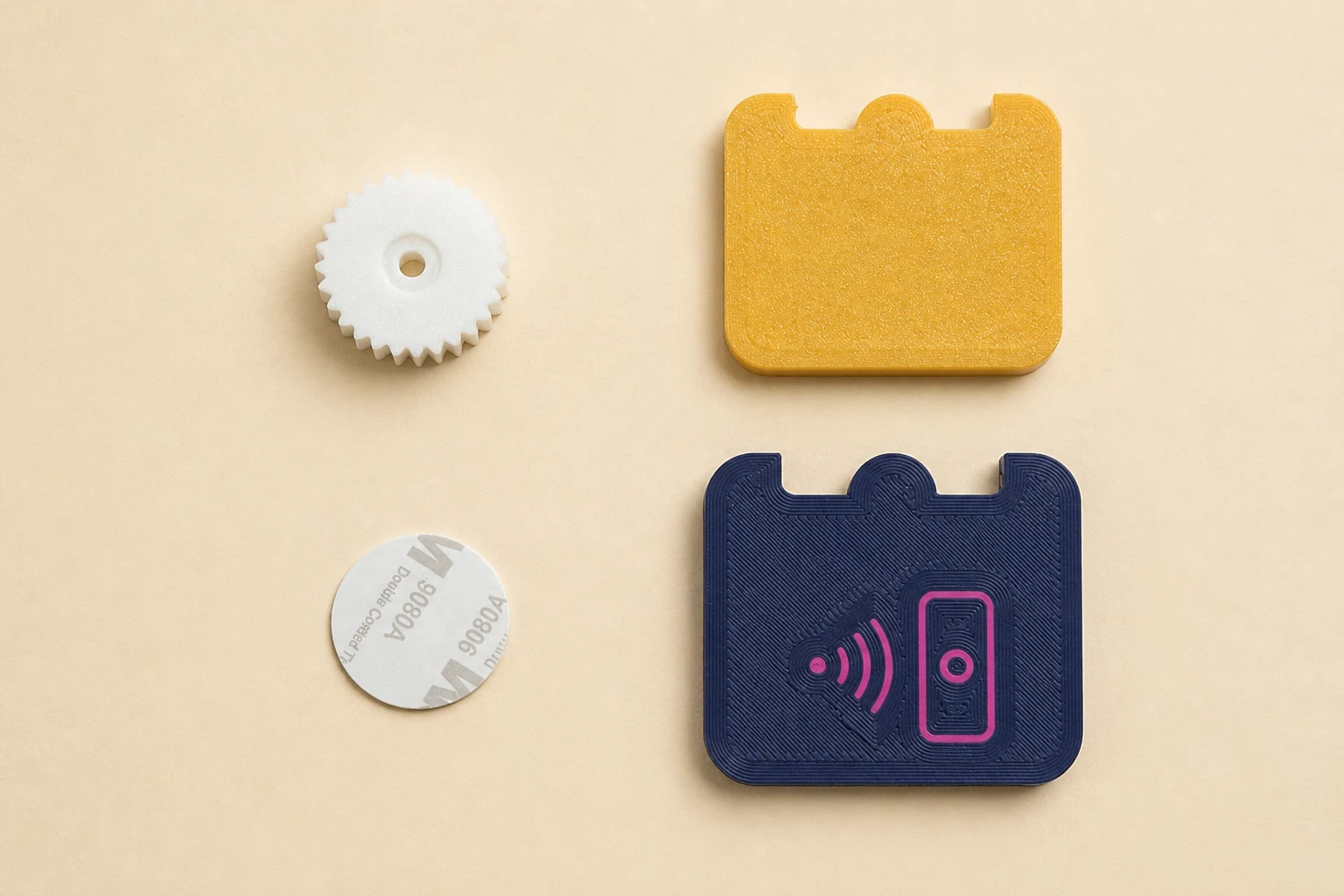
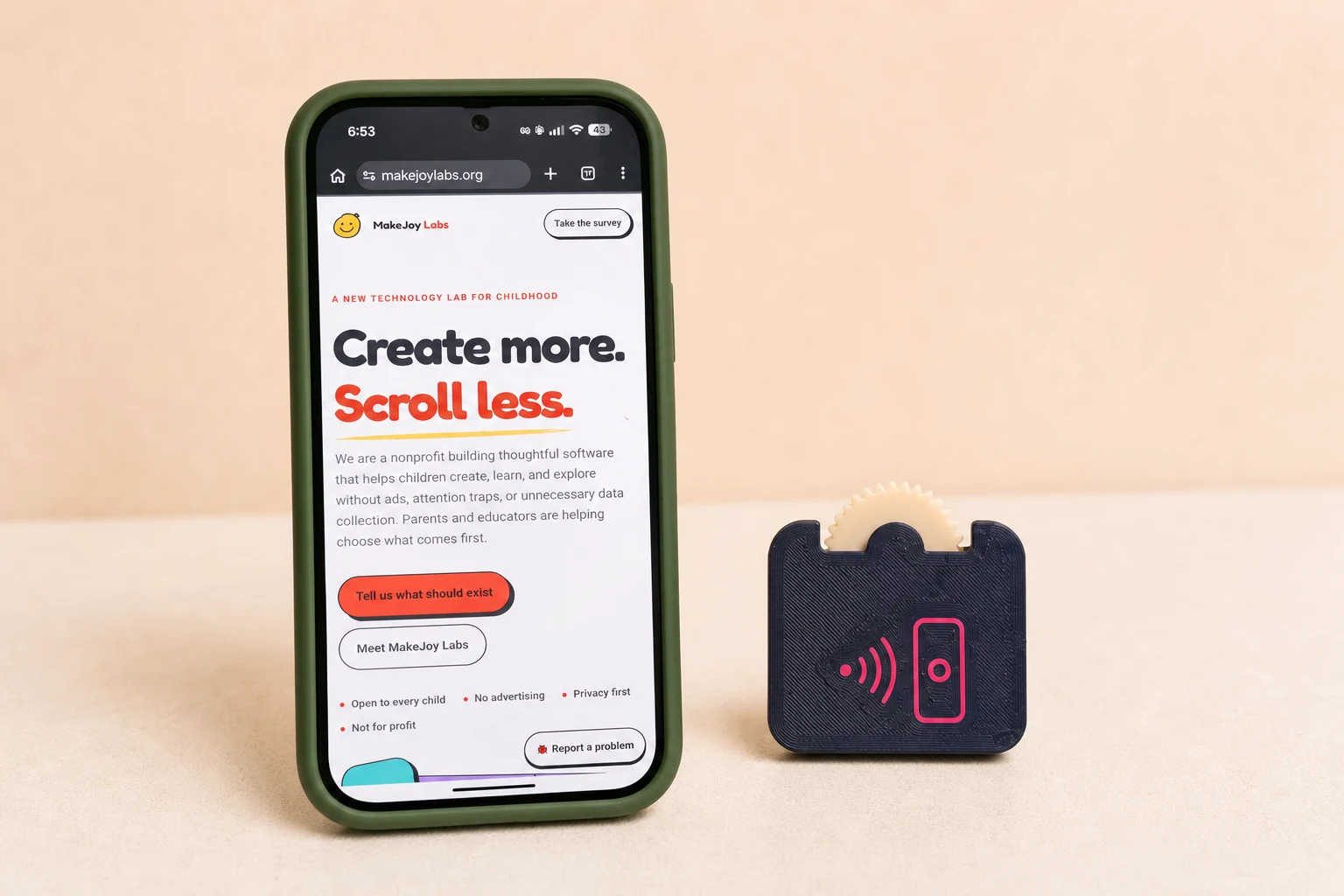
These presentation images were retouched from the founder’s real test photographs. Backgrounds and lighting were improved; the prototype and phone demonstration remain the photographed subjects.
Assembly
Build from the back shell forward.
- 1
Print the fit coupon first
Check the snap fit and your printer’s tolerances before making the body, wheel, and one PETG click spring.
- 2
Test the NFC tag before closing
Write a temporary web address and confirm your phone can read the tag. This prevents sealing an untested or incompatible tag inside.
- 3
Place the tag in its pocket
Seat the adhesive disc in the circular back-shell pocket with the tag flat and clear of the wheel and spring.
- 4
Fit the wheel, spring, and front
Seat the wheel on the reinforced axle, install one PETG spring, add a thin perimeter bead of glue if you want a permanent closure, then align and press the clips together. Check that the wheel turns and the phone still reads the tag.
Program the NFC tag
Give the fidget a destination.
- 1
Choose a trusted NFC-writing app
Use your phone’s built-in shortcut tools if available, or a reputable NFC-writing app. The finished guide will include tested options without affiliate links.
- 2
Create a URL record
Enter the complete address, including
https://, and double-check it before writing. - 3
Hold the tag near the NFC reader
Keep it still until the phone confirms the write. Reader position differs by phone, so moving slowly around the top or back may help.
- 4
Test before you lock anything
Scan it with another compatible phone if possible. Do not permanently lock the tag unless you are certain the destination should never change.
Program and share it safely
An adult should choose and verify the destination, supervise children when a tag opens the web, and avoid links that request names, photos, precise locations, or contact details. Anyone who can rewrite an unlocked tag may change it, so test it before sharing. Pass toys person-to-person; do not leave them on pumps, roads, private property, or anywhere they could alarm someone or create a hazard.
Download files
Print it, adapt it, and share what you change.
Version 1 is the first public release, built from CAD iteration 4.2. It includes print-ready STL files, editable STEP and CadQuery source, Bambu 3MF files, fit coupons, two spring strengths, branded and blank fronts, real listing photos, and revision notes. The included four-color front maps the full artwork into one AMS or AMS Lite: ink navy, cream, Joy yellow, and coral.
NFC Pocket Fidget Version 1 complete pack
About 10 MB · CAD source, STL, STEP, 3MF, four-color Bambu file, photos, animation, license, and Printables-ready notes.
Only need the four-color Bambu front?
Precolored for four filament slots; all mechanical geometry is unchanged from the master.
What was verified
- Complete enclosure, wheel, and spring printed and assembled
- Nominal 25 × 0.8 mm NFC tag fits and opens the programmed site
- Clip geometry, reinforced axle, and supportless orientations included
- Released under Creative Commons Attribution 4.0